Lambda Managed Instances: A Working Demo and the Math Behind It

You’ve built this function before. A webhook comes in, you validate it, call two or three downstream APIs to enrich the data, write the result to DynamoDB, and return. Total execution time: 500 milliseconds. Actual CPU work: maybe 50 milliseconds. The other 90% of the time, your function is sitting there, waiting on network I/O, when it could be handling the next request.
That’s the standard Lambda execution model. One invocation, one execution environment, one function at a time. It works great for bursty, unpredictable traffic. But if you’re running a steady-state workload that processes millions of these I/O-heavy requests per month, that CPU is sitting idle while your function waits on the network.
Lambda Managed Instances (LMI) changes that equation. Instead of one invocation per execution environment, LMI lets multiple invocations share the same environment concurrently. While invocation A waits on a downstream API call, invocation B uses the CPU. Your CPU stays busy instead of waiting on the network.
What Is Lambda Managed Instances and How Does It Work?
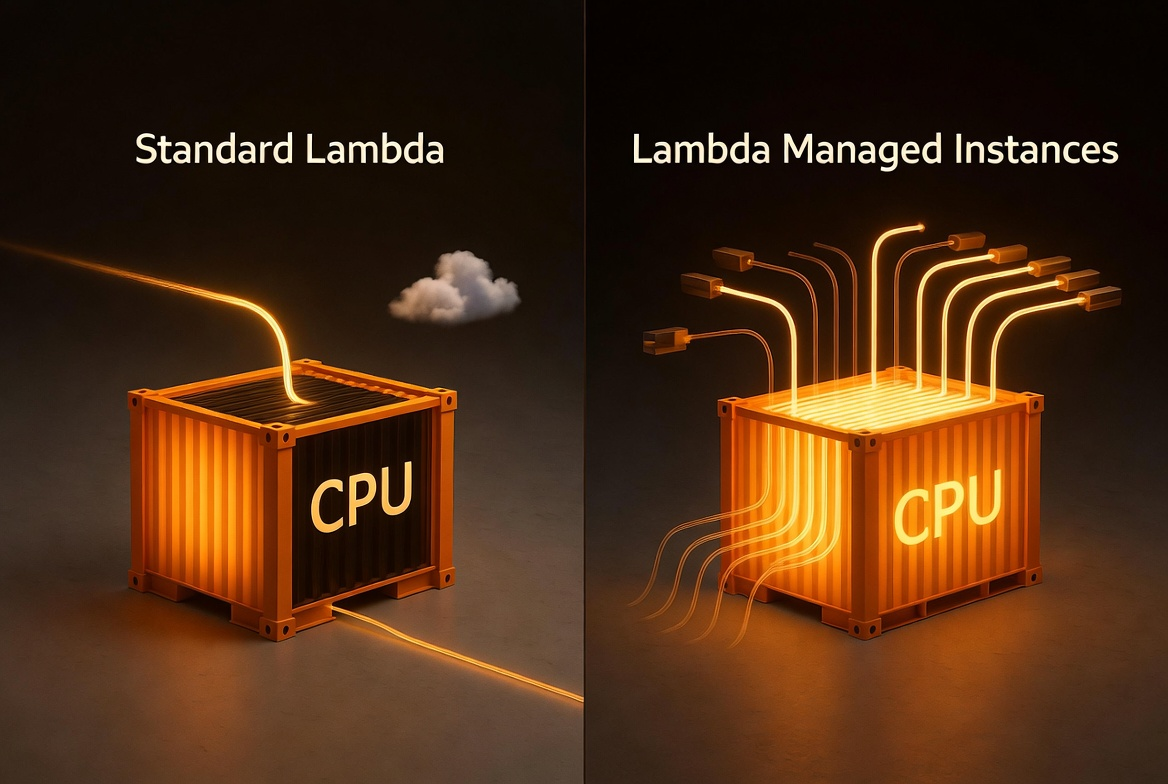
LMI runs your Lambda functions on EC2 instances of your choice, in your own account. AWS handles everything you’d rather not: instance lifecycle, OS patching, load balancing, auto scaling. You keep the Lambda programming model. Same handler signature, same event sources, same CloudWatch integration. The difference is under the hood.
There are three things that matter:
Multi-concurrency. A single execution environment handles multiple invocations at the same time. Python gets 16 concurrent invocations per vCPU by default. Node.js gets 64. Java and .NET get 32. This is the big one for I/O-bound workloads.
EC2 pricing. You pay for the EC2 instances (plus a 15% management fee) instead of per-millisecond Lambda duration pricing. That means you can apply discounts via EC2 Savings Plans, Compute Savings Plans, Reserved Instances, or special pricing agreements, which can cut costs by up to 72% compared to EC2 on-demand.
Instance selection. You can choose from compute-optimized (C), general-purpose (M), and memory-optimized (R) instance families, including Graviton4. Need high-bandwidth networking? Up to 32 GB of memory per execution environment? You pick the instance type.
What Is a Capacity Provider in Lambda Managed Instances?
The new primitive is the Capacity Provider. Think of it as the infrastructure blueprint for your LMI functions. It defines:
- VPC configuration: which subnets and security groups your instances run in
- Instance requirements: architecture (x86 or ARM), allowed or excluded instance types
- Scaling config: max vCPU count and scaling mode (auto or manual)
You create a capacity provider, then attach your Lambda functions to it. Multiple functions can share the same capacity provider, which improves resource utilization. Lambda launches a minimum of 3 instances by default, spread across the availability zones in your capacity provider’s VPC configuration for resiliency.
Here’s an important operational detail: you must publish a function version to trigger instance provisioning. LMI launches EC2 instances and initializes execution environments ahead of time, so they’re ready before traffic arrives. This is different from standard Lambda’s on-demand model (where environments spin up on first invoke) and from Provisioned Concurrency (which pre-warms standard Lambda environments). LMI is running actual EC2 instances with your code deployed on them.
When Should You Use Lambda Managed Instances vs Standard Lambda?
I’ll be honest: LMI isn’t for every workload. Here’s the rule of thumb I like:
Use LMI when:
- Your function is I/O-bound (waiting on APIs, databases, queues)
- You have steady, predictable traffic (not bursty spikes)
- Your monthly Lambda bill is high enough that EC2 pricing + Savings Plans saves money
- You need more than 10 GB of memory or specific instance types
Stick with standard Lambda when:
- Traffic is bursty and unpredictable
- You need scale-to-zero (LMI maintains a minimum of 3 execution environments)
- Your invocation volume is low (the always-on EC2 cost will exceed Lambda’s per-invocation pricing)
- Your function is CPU-bound with no I/O wait time (multi-concurrency won’t help)
The crossover point depends on your volume, concurrency, and commitment level. LMI has a high fixed cost floor — you’re paying for always-on EC2 instances whether they’re busy or not. Without a Savings Plan, standard Lambda is cheaper at most volumes. The math section below walks through the real numbers.
How Much Does Lambda Managed Instances Cost Compared to Standard Lambda?
Update (April 21, 2026): The original version of this section underestimated LMI costs significantly. I used a simplified model that didn’t properly account for instance sizing, packing efficiency, or the 3-instance minimum. Readers rightly called this out. I’ve rewritten the section using Debasis Rath’s LMI Pricing Calculator, which models concurrency, instance packing, and AZ resiliency correctly. The conclusions changed — I’d rather get it right than look good.
Let’s make this concrete. Take the webhook processor from this demo: it validates events, calls 3 downstream APIs concurrently (~200ms I/O wait), and writes to DynamoDB. Total execution: ~500ms. CPU usage: ~50ms.
I ran these numbers through Debasis Rath’s LMI Pricing Calculator using c7g.xlarge (Graviton, 4 vCPU, 8 GiB) with Python, 2GB memory, I/O-heavy profile, and 3-AZ resiliency. All prices are us-east-1, ARM (Graviton) pricing.
At Low Volume: LMI Doesn’t Make Sense
At 5M invocations per month with 10 concurrent executions (realistic for this volume), the calculator says you need 5 instances:
| Standard Lambda (ARM) | LMI on-demand | |
|---|---|---|
| Compute | $68.00 | $529.25 (5 × c7g.xlarge × 730 hrs) |
| Management fee (15%) | — | $79.39 |
| Requests | $1.00 | $1.00 |
| Total | $69.00/mo | $609.64/mo |
LMI is nearly 9x more expensive at this volume. The always-on EC2 cost dwarfs what you’d pay with standard Lambda. If your workload looks like this, stick with standard Lambda.
At High Volume: LMI Starts Winning (With a Savings Plan)
At 100M invocations per month with 100 concurrent executions, the calculator sizes 14 instances:
| Standard Lambda (ARM) | LMI on-demand | LMI (3yr Compute SP) | |
|---|---|---|---|
| Compute | $1,360.00 | $1,481.90 (14 × c7g.xlarge × 730 hrs) | ~$518.67 (72% discount) |
| Management fee (15%) | — | $222.28 | $222.28 (not discountable) |
| Requests | $20.00 | $20.00 | $20.00 |
| Total | $1,380.00/mo | $1,724.18/mo | ~$760.95/mo |
| vs Standard Lambda | baseline | +25% | -45% |
Even at 100M invocations, LMI on-demand is still 25% more expensive than standard Lambda. The savings only appear with a Compute Savings Plan — and you need a 3-year commitment to get the full 72% EC2 discount that makes LMI 45% cheaper.
Here’s how the costs scale:
| Monthly volume | Standard Lambda (ARM, 2GB) | LMI on-demand | LMI (3yr SP) |
|---|---|---|---|
| 5M | $69.00 | $609.64 | ~$222 |
| 10M | $137.00 | $609.64 | ~$222 |
| 50M | $681.00 | $1,724.18 | ~$761 |
| 100M | $1,380.00 | $1,724.18 | ~$761 |
| 500M | $6,820.00 | $1,724.18 | ~$761 |
The pattern is clear: standard Lambda scales linearly with volume. LMI has a high fixed floor but stays flat once you’ve sized for your peak concurrency. At 500M invocations, standard Lambda costs $6,820/mo while LMI with a 3-year commitment is $761. That’s a 9x difference.
The Honest Bottom Line
LMI is a high-volume, commitment-based cost optimization. Without a Savings Plan, standard Lambda is cheaper at every volume I tested. With a 3-year commitment, the crossover happens around 50-100M invocations per month depending on your concurrency requirements.
The real value proposition isn’t just cost — it’s the combination of cost savings at scale, access to specific instance types, and higher memory configurations that standard Lambda can’t provide. But if your primary motivation is saving money, you need serious volume AND a willingness to commit.
All numbers generated using the LMI Pricing Calculator with c7g.xlarge in us-east-1. Lambda selects instance types based on your workload — your actual sizing may differ. The official AWS pricing example uses m7g.xlarge at 100M requests and arrives at $160.36/mo with a 3-year plan. Run your own numbers before making a decision.
How Do You Set Up Lambda Managed Instances with AWS SAM?

Let’s build the thing. I’m using AWS SAM with the new AWS::Serverless::CapacityProvider resource type. The full code is in the companion repo.
The architecture is straightforward: API Gateway receives webhook POST requests, routes them to a Lambda function running on LMI, which validates the payload, calls 3 downstream services concurrently for enrichment, and writes the result to DynamoDB.
The SAM Template
Here’s the capacity provider and function definition:
Resources:
  # The capacity provider defines where your LMI functions run
  WebhookCapacityProvider:
    Type: AWS::Serverless::CapacityProvider
    Properties:
      CapacityProviderName: !Sub ${AWS::StackName}-cp
      VpcConfig:
        SubnetIds:
          - !Ref Subnet1
          - !Ref Subnet2
          - !Ref Subnet3
        SecurityGroupIds:
          - !Ref SecurityGroupId
      ScalingConfig:
        MaxVCpuCount: 30

  # The function looks like any other SAM function,
  # plus CapacityProviderConfig
  WebhookProcessorFunction:
    Type: AWS::Serverless::Function
    Properties:
      Handler: app.lambda_handler
      CodeUri: infrastructure/lambda/webhook-processor/
      MemorySize: 4096
      Timeout: 30
      CapacityProviderConfig:
        Arn: !GetAtt WebhookCapacityProvider.Arn
        ExecutionEnvironmentMemoryGiBPerVCpu: 2.0
        PerExecutionEnvironmentMaxConcurrency: 16
      AutoPublishAlias: live
      Environment:
        Variables:
          TABLE_NAME: !Ref WebhookEventsTable
      Events:
        PostWebhook:
          Type: Api
          Properties:
            Path: /webhooks
            Method: POST
A few things to call out:
CapacityProviderConfig is the new property that makes this an LMI function. You pass the capacity provider ARN, the memory-to-vCPU ratio (2:1 for compute-optimized, 4:1 for general purpose, 8:1 for memory-optimized), and the max concurrency per execution environment.
AutoPublishAlias: live is crucial. LMI requires a published version to provision capacity. SAM’s AutoPublishAlias handles this automatically, publishing a new version on every deploy and pointing the alias to it.
VPC configuration lives on the capacity provider, not the function. This is different from standard Lambda VPC config. You set it once on the capacity provider, and all attached functions inherit it.
SAM auto-generates the operator role. If you don’t specify OperatorRole on the capacity provider, SAM creates one with the AWSLambdaManagedEC2ResourceOperator managed policy. One less thing to manage.
The Function Code
The webhook processor uses Lambda Powertools and asyncio for concurrent downstream calls:
import json
import os
import time
import uuid
import asyncio
from datetime import datetime, timezone
from decimal import Decimal

import boto3
from aws_lambda_powertools import Logger, Metrics, Tracer
from aws_lambda_powertools.event_handler import APIGatewayRestResolver
from aws_lambda_powertools.metrics import MetricUnit

logger = Logger()
tracer = Tracer()
metrics = Metrics()
app = APIGatewayRestResolver()

# Initialized once, shared across concurrent invocations.
# boto3 resources and Powertools instances are thread-safe.
TABLE_NAME = os.environ.get("TABLE_NAME")
dynamodb = boto3.resource("dynamodb")
table = dynamodb.Table(TABLE_NAME)
The enrichment step is where multi-concurrency shines. Each downstream call waits 100-200ms on I/O. With standard Lambda, you pay for that wait. With LMI, other invocations use the CPU while this one sleeps:
async def _simulate_api_call(service_name: str, delay_s: float) -> dict:
    """In production, this would be an HTTP call to a real service."""
    start = time.monotonic()
    await asyncio.sleep(delay_s)
    elapsed_ms = (time.monotonic() - start) * 1000
    return {
        "service": service_name,
        "status": "success",
        "latency_ms": round(elapsed_ms, 1),
    }

async def enrich_event(event_data: dict) -> dict:
    """Call 3 downstream services concurrently."""
    tasks = [
        _simulate_api_call("geocoding", 0.15),
        _simulate_api_call("fraud-scoring", 0.20),
        _simulate_api_call("loyalty-lookup", 0.10),
    ]
    results = await asyncio.gather(*tasks)
    return {r["service"]: r for r in results}
The handler ties it together: validate, enrich, store, return:
@app.post("/webhooks")
@tracer.capture_method
def process_webhook():
    start_time = time.monotonic()
    body = app.current_event.body or ""
    payload = json.loads(body) if body else {}

    event_id = str(uuid.uuid4())
    event_type = payload.get("event_type", "unknown")

    # Enrich by calling downstream services concurrently
    enrichment = _run_enrichment(payload)

    # Write to DynamoDB
    table.put_item(Item={
        "PK": f"EVENT#{event_type}",
        "SK": f"{datetime.now(timezone.utc).isoformat()}#{event_id}",
        "event_id": event_id,
        "payload": json.dumps(payload),
        "enrichment": json.dumps(enrichment),
    })

    processing_time = round((time.monotonic() - start_time) * 1000, 1)
    return {
        "event_id": event_id,
        "status": "processed",
        "processing_time_ms": processing_time,
    }
Deploy and Test
Build and deploy with SAM:
sam build --use-container
sam deploy --guided
SAM will ask for your subnet IDs and security group. Use subnets across at least 3 AZs in a VPC with internet access (the default VPC works fine for a demo). The deploy takes a few minutes because LMI needs to provision EC2 instances and initialize execution environments.
Once deployed, test the health endpoint:
curl https://<api-id>.execute-api.<region>.amazonaws.com/prod/health{
"status": "healthy",
"compute_type": "lambda-managed-instances"
}Send a webhook:
curl -X POST https://<api-id>.execute-api.<region>.amazonaws.com/prod/webhooks \
  -H "Content-Type: application/json" \
  -d '{
    "event_type": "payment.completed",
    "order_id": "ORD-12345",
    "amount": 99.99,
    "customer_id": "CUST-789"
  }'
{
"event_id": "7d660175-7cbc-4c9b-9d15-3a5d79e82eff",
"event_type": "payment.completed",
"status": "processed",
"processing_time_ms": 202.0,
"enrichment": {
"geocoding": { "latency_ms": 151.0, "status": "success" },
"fraud-scoring": { "latency_ms": 201.3, "status": "success" },
"loyalty-lookup": { "latency_ms": 100.6, "status": "success" }
}
}202 milliseconds. All three enrichment calls ran concurrently (the longest was 201ms for fraud-scoring, which set the floor). Five sequential requests all came back at ~202ms. No cold starts, consistent performance.
What Are the Gotchas with Lambda Managed Instances?
Thread safety matters. With multi-concurrency, your code runs multiple invocations in the same process. Global variables, shared state, and writes to /tmp need to be thread-safe. boto3 clients initialized outside the handler are fine. Mutable global dictionaries are not. Test under concurrent load before you ship.
Plan your migration path. You can deploy the same function code to both standard Lambda and LMI simultaneously, provided it’s thread-safe. However, there’s no built-in toggle to switch a single function between execution modes. In practice, run both side by side during testing and cut traffic over when you’re confident.
VPC networking is required. LMI instances run in your VPC. They need outbound internet access for CloudWatch Logs, X-Ray, and any external API calls. The default VPC with public subnets works for demos. For production, use VPC endpoints or a NAT gateway.
Minimum 3 instances. Lambda launches 3 instances across AZs for resiliency. You’re paying for those even at zero traffic. This is why LMI doesn’t make sense for low-volume workloads.
Deploy takes minutes, not seconds. Publishing a version triggers EC2 instance provisioning. Expect 3-5 minutes before your function is invocable. Plan your CI/CD accordingly.
The 15% management fee. EC2 pricing discounts (Savings Plans, Reserved Instances) apply to the base EC2 cost, not the management fee. Factor this into your cost calculations.
Cleanup
Don’t forget to tear down the stack when you’re done. Those EC2 instances keep running (and billing) until you delete the capacity provider:
sam delete --stack-name lmi-webhook-demo --profile demo --region us-west-2What Should You Build Next with Lambda Managed Instances?
If I were taking this to production, I’d swap the simulated downstream calls for real HTTP clients (aiohttp or httpx), add HMAC signature validation on every request, set up CloudWatch alarms on CPUUtilization and ExecutionEnvironmentConcurrency, and run a load test to find the right PerExecutionEnvironmentMaxConcurrency for my specific workload.
I’d also look hard at the cost comparison with my actual traffic patterns. Run your numbers through the LMI Pricing Calculator — it accounts for concurrency, instance packing, and AZ resiliency in ways that back-of-napkin math can’t.
Check out the LMI Pricing Calculator (built by Debasis Rath and team) to model the cost comparison with your actual traffic patterns and instance types. Stephen Liedig also built an LMI Scheduler for managing instance scaling schedules, and there’s an LMI Skill for AI coding assistants to help you set up and configure LMI functions directly in your IDE.
Lambda has always been about paying for what you use. LMI flips the question: what if your CPU could actually be busy the whole time you’re paying for it?
For the Agents
If you use an AI coding assistant, here are some relevant Kiro Powers:
- lambda-managed-instances - LMI concepts, SAM setup, capacity provider config, multi-concurrency patterns, thread-safe initialization, and common pitfalls
- aws-sam - SAM CLI tooling, template validation, and deployment workflows
Agent Instructions
Grab the companion agent file for this post. Use it as Kiro steering, CLAUDE.md, or any agent instructions format.